Blog
10/30/2024
The Complete Guide to Understanding Salesforce Nonprofit Cloud
Nonprofits have a unique challenge: balancing their mission with the complexity of managing resources, donors, and programs. Salesforce Nonprofit Cloud…

Welcome to our new website! Learn more about how we help Associations succeed with Salesforce solutions. Learn More >



April 15, 2016 | Andrew Lawlor
Aptaria developed a Salesforce app for KZO Innovations that allows Salesforce users to:
KZO Innovations offers a platform suite for securely uploading, annotating, and sharing video content across all client user platforms. The company’s storage technology enables users to embed videos within other applications—ideal for both marketing and employee training.
However, KZO needed to make its powerful video management platform accessible from within Salesforce.com. KZO’s clients using Salesforce wanted a more convenient way to share video content with their leads and contacts.
The lack of connection between video content and Salesforce records limited KZO’s clients’ options for distributing videos such as product demonstrations and webinars. For instance, if users wanted to add a video to an email, they previously had to do all of the following:
To integrate Salesforce with the video platform, KZO needed an AppExchange developer with deep experience. KZO’s founder reached out to Aptaria.
Aptaria created an app that lets users access all the features of KZO’s video content management platform from within Salesforce. Clients can now merge KZO videos with any of their Salesforce leads or contacts and send emails with embedded videos for sales, marketing, and training purposes.
We designed a simple interface that allows users to associate videos with Salesforce records and launch email campaigns.
This screen from the interface shows all KZO videos associated with a specific Salesforce contact (Heather Erickson):

The screen below enables users to select an email template, make final edits, and send the email.
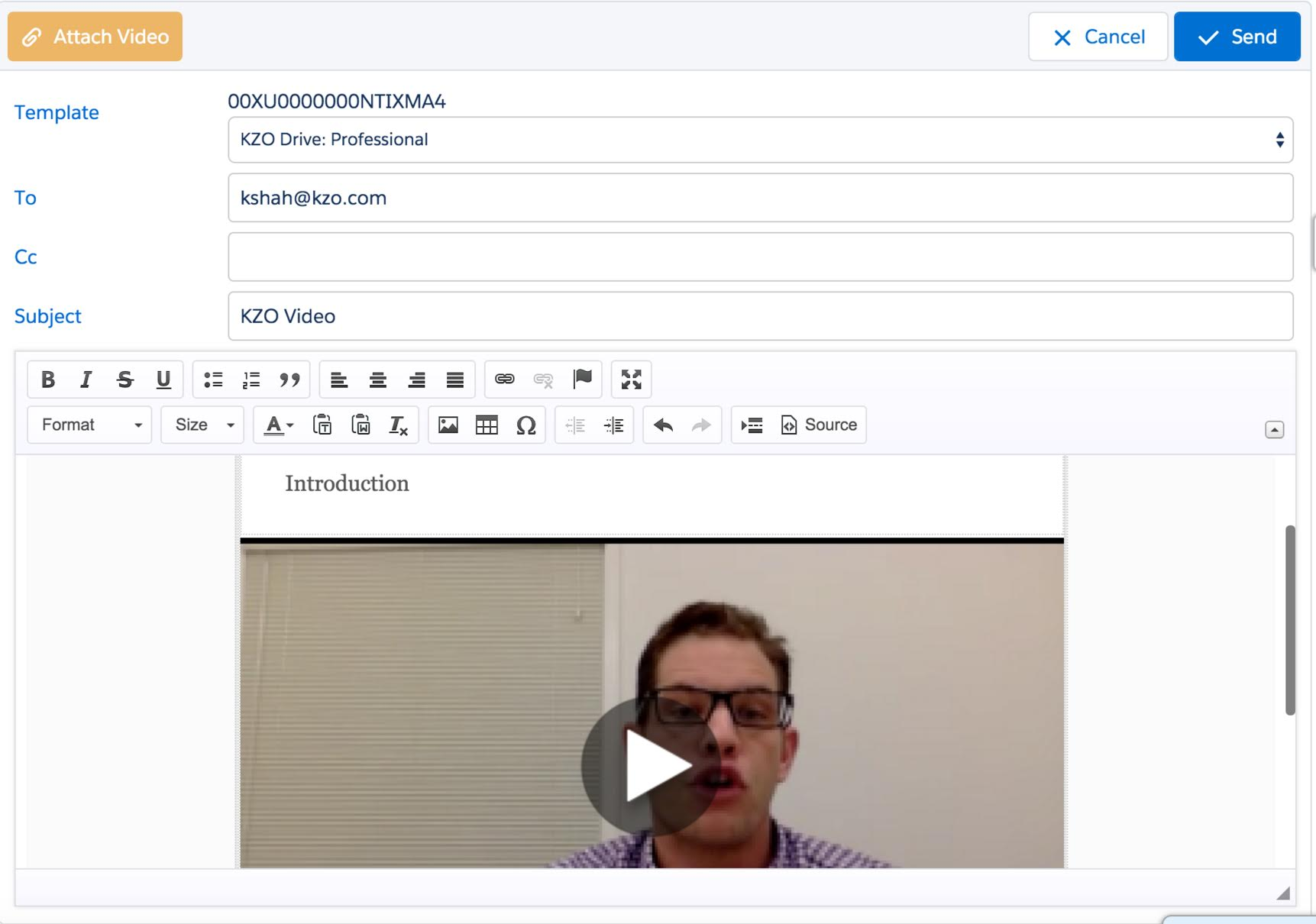
The app includes a choice of email templates. Companies can add their logo, customize the color palette, and change the font to maintain consistent branding.
Because the app links KZO with Salesforce, clients can browse their video library and customize an email template in the same window. When a Salesforce user wants to send a KZO video to a lead or contact through email, he or she will:
The Salesforce app also gives users the ability to review KZO video usage and viewing metrics directly within Salesforce analytics through reports and dashboards. Salesforce can run reports to evaluate a video by its number of plays, average viewing time, and other metrics.
Aptaria built the app to pass the AppExchange’s tough security review, as our team has done for many other Salesforce apps. KZO’s app will soon be available to download from Salesforce’s AppExchange online store.